
Paramax9 Mobile: Browser Access, PWA Experience and Device Checks
 Available in AU
Content
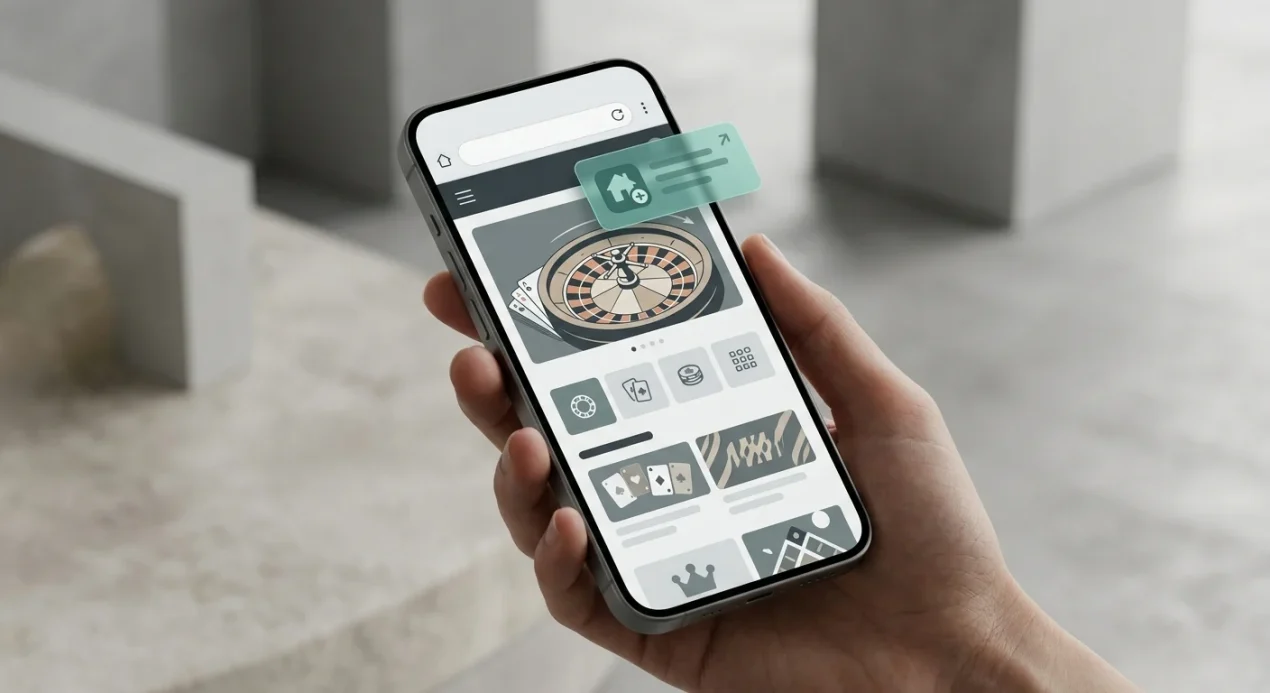
Paramax9 supports mobile-browser access, and site analysis identifies installable PWA-style behavior. No verified official native iOS or Android app-store listing was found, so this guide does not present Paramax9 as having a confirmed native app. For most phone users, the practical route is the mobile website or an installable web-app experience where the browser offers that option.
This distinction matters because “Paramax9 app” searches can mix three different things: a normal mobile site, a progressive web app saved to the home screen, and a true native app distributed through Apple or Google. They can look similar after launch but have different installation and trust signals. The safest approach is to use the verified web route and avoid sideloading unverified APK files.
Paramax9 app: the short answer
| Access type | Status | What it means |
|---|---|---|
| Mobile browser | Verified | The site can be used through a phone browser. |
| PWA-style install | Documented | The site shows installable web-app behavior and can potentially be saved for app-like access. |
| Native iOS app | Not verified | No official Apple App Store listing was verified. |
| Native Android app | Not verified | No official Google Play listing was verified. |
| APK download | Do not assume official | A standalone file should not be trusted merely because it uses the Paramax9 name. |
The key takeaway is that you do not need a native app claim to explain Paramax9 on mobile. Browser access is the verified route. PWA-style behavior can make that web experience feel more app-like, but it is still based on web technology rather than proof of a separate store-distributed application.
What a PWA-style experience actually means
A progressive web app is a website that can expose app-like features through the browser. Depending on the browser and device, it can be added to the home screen, open in its own window and reuse cached interface resources. That can make it look like an installed application even though its content is still delivered from the web.
For a casino user, the practical benefit is convenience rather than a fundamentally different account. You can return to the same site from a home-screen icon without searching for the URL each time. Authentication, games and payment pages still depend on the web service behind the interface.
This also explains why visual appearance is not enough to prove a native app. A PWA can have an icon, splash screen and full-screen presentation. Those features should not be used as evidence of an Apple or Google store release. A native-app claim requires an official store listing or other primary evidence, which was not verified for Paramax9 in the current check.
How to use Paramax9 on a phone more safely
- Start from the verified web address you already trust. Do not search for random APK mirrors or clone domains.
- Bookmark the page or use the browser’s add-to-home-screen function. This reduces the chance of mistyping or revisiting an imitation site.
- Check the address bar before entering credentials or payment details. A familiar logo or page design is not enough.
- Do not install a file simply because it is described as the Paramax9 Android app. Without an official verified listing, treat sideload packages as unverified software.
- Keep the browser and operating system current. Modern browser security features are part of the protection model for a web-based experience.
- Use device-level protections. A screen lock, biometric login and secure password storage reduce account exposure if the phone is lost.
These steps are useful precisely because the verified access route is web-based. They do not require an invented app-store badge, download button or APK link.
Mobile navigation: test the tasks you actually need
A casino can look polished on a phone and still be awkward for the actions that matter. Before treating mobile support as a success, test the full path you expect to use: account access, game search, payment navigation and help options. Responsive design is only useful if important controls remain reachable without excessive zooming or horizontal scrolling.
For game discovery, look for search and provider filters that are usable with one hand. The broader game library includes slots, table games, live casino and crash games, but the relevant mobile question is whether those categories are easy to locate on a smaller screen.
Pay attention to overlays. Cookie notices, chat windows and promotional panels can consume a large share of a phone display. If an overlay covers navigation or a cashier control, close it before proceeding rather than tapping through obscured buttons. Small-screen usability should reduce ambiguity, not increase it.
Games on mobile
Slots are a verified Paramax9 game category and are generally well suited to mobile interfaces because they use a contained game viewport. Even so, an individual title can behave differently across devices. Some games scale cleanly in portrait orientation, while others are more comfortable in landscape. A title that exists in the desktop lobby should be checked on the phone you plan to use rather than assumed to have identical controls.
Live casino is more demanding because it adds a video stream, betting controls, timers and table information. Paramax9 is documented as offering live games, so mobile users have a reason to test this category directly. The dedicated live casino on mobile discussion explains why stream quality and table availability are session-level checks rather than permanent review facts.
If a game fails to load, do not immediately conclude that the whole mobile site is broken. The issue can be title-specific, provider-specific or related to browser settings. Testing one different game from another provider helps separate a site-wide problem from a single integration issue.
Payments from a phone
PayID is documented as an Australian-oriented Paramax9 payment option, and independent sources also identify major Australian bank routes in the site’s payment context. The mobile decision is not simply whether a payment name appears. You should verify the cashier page in your own session, confirm the destination details and read any limits or conditions shown before sending money.
This page does not publish exact transaction limits, fees or processing times because those are more volatile and require stronger current evidence. For the stable payment-method picture and practical checks, use the Paramax9 payment methods guide. On mobile, the same caution applies with an extra interface risk: copying account details, switching between a banking app and browser, or returning from an external payment flow can make it easier to lose context.
Before confirming a payment, check the amount and destination again after switching apps. Do not assume that a browser session remained on the same step while the phone was in the background.
Account access and login on mobile
Mobile access is most useful when account tasks remain clear and predictable. Use the same trusted web route for registration and login rather than creating separate credentials through an unverified app or mirror domain. Password managers can reduce typing errors and make it easier to notice when a login page is on an unexpected domain.
If the browser offers to save a password, protect the device with a strong lock because saved credentials can make account access easier for anyone holding an unlocked phone. Logging out after a session is especially relevant on shared devices.
The planned registration and login setup guide covers account-specific steps and checks. This mobile page stays at device level: trustworthy route, readable forms, secure credential handling and avoiding unofficial application packages.
What to check before adding Paramax9 to your home screen
An add-to-home-screen shortcut is convenient, but create it only after confirming that the browser is on the intended site. The icon will then open the saved web destination, which reduces repeated searching. If you create a shortcut from a clone or mistyped domain, the polished app-like presentation can make that mistake less obvious later.
After installation, open the shortcut once and inspect the destination again. If the browser or web app exposes site information, confirm that it matches the domain you intended to save. This is a more useful trust check than judging the quality of the icon or splash screen.
Also remember that removing a PWA-style shortcut does not necessarily close or delete a casino account. It removes the local entry point on the device. The underlying account is managed by the web service, so account actions should be handled through the account interface rather than inferred from app installation status.
How browser access differs from a native app
- Distribution
- A browser or PWA route is reached from the web. A native app is normally distributed through an app store or an explicitly documented official package.
- Updates
- Web interfaces can change when the site is updated. Native apps normally receive packaged app updates through their distribution channel.
- Trust signal
- A valid app-store listing provides an additional publisher and distribution record. A home-screen icon alone does not.
- Installation
- A PWA can be added from browser controls. A native app is installed as a platform application.
- What Paramax9 evidence supports
- Mobile-browser access and PWA-style behavior are documented; a native store app is not currently verified.
This is why the safest wording is precise rather than promotional. Calling every home-screen casino experience an “app” would hide a meaningful technical distinction that matters when a reader is deciding what software to trust.
Connection, battery and session checks
Mobile casino use adds device constraints that desktop reviews often ignore. A weak connection can interrupt game loading or live streams. Low battery can end a session unexpectedly. Public Wi-Fi can add privacy and reliability concerns. None of these issues prove a problem with Paramax9 itself, but they can change the practical quality of the experience.
If you plan to use live dealer games, prefer a stable connection and test the stream before increasing stakes. If you plan a longer session, keep the device charged and avoid playing while the phone is overheating or aggressively switching between mobile data and Wi-Fi. For ordinary slots, the connection demand can be lower, but authentication and transaction steps still benefit from stability.
It is also worth checking whether the site behaves predictably after the phone locks or the browser is placed in the background. Return to the session and confirm the current screen before taking an action, especially after switching to a banking app.
Red flags around unofficial “Paramax9 app” downloads
The absence of a verified native store listing makes unofficial download claims more important to scrutinise. An APK can install software outside Google Play, but the fact that Android allows sideloading does not establish that a file is genuine. A file name, logo or promotional image can be copied easily.
Avoid any download that asks you to disable security controls, install from an unfamiliar mirror, grant unrelated permissions or trust a publisher identity you cannot verify. This guide does not provide an APK link because doing so would imply an official application source that the current evidence does not support.
The same principle applies to iPhone configuration profiles or enterprise-install prompts. Without a verified official distribution route, do not treat a prompt to install software as equivalent to the documented mobile-browser experience.
Australian context and mobile access are separate questions
Mobile usability should be judged on the phone itself: page loading, navigation, cashier access, live-chat reachability and game scaling can all matter more than whether a shortcut icon looks like a native app. If the browser offers an install option, confirm that it points back to the same Paramax9 web origin rather than an unrelated download source.
The full review covers the wider Australian context. For this page, the decision is narrower: browser/PWA access is documented, native app status is not verified, and users should choose the verified web route over unverified sideload software.
Bottom line
Paramax9 works as a mobile-browser casino and shows PWA-style installable behavior. That is enough to support an app-like phone experience without claiming a native iOS or Android app. No official app-store listing was verified, so readers should avoid treating random APKs, profiles or download mirrors as official Paramax9 software.
Use a trusted browser route, bookmark or add the verified site to the home screen, test the games and payment flows you actually need, and check live-stream performance on your own connection. The browser/PWA distinction is not a technical footnote; it is the main fact that resolves the “Paramax9 app” search intent accurately.
This material was created by the Paramax9 Australia Guide team.
Paramax9 Mobile — More on this topic at paramax9 casino.
See also Paramax9 Payment Methods in Australia.
Related posts
Paramax9 and Australian Online Casino Law: What the ACMA Rules Mean
Paramax9 Withdrawals: Payout Checks, Complaints and What to Verify